English:
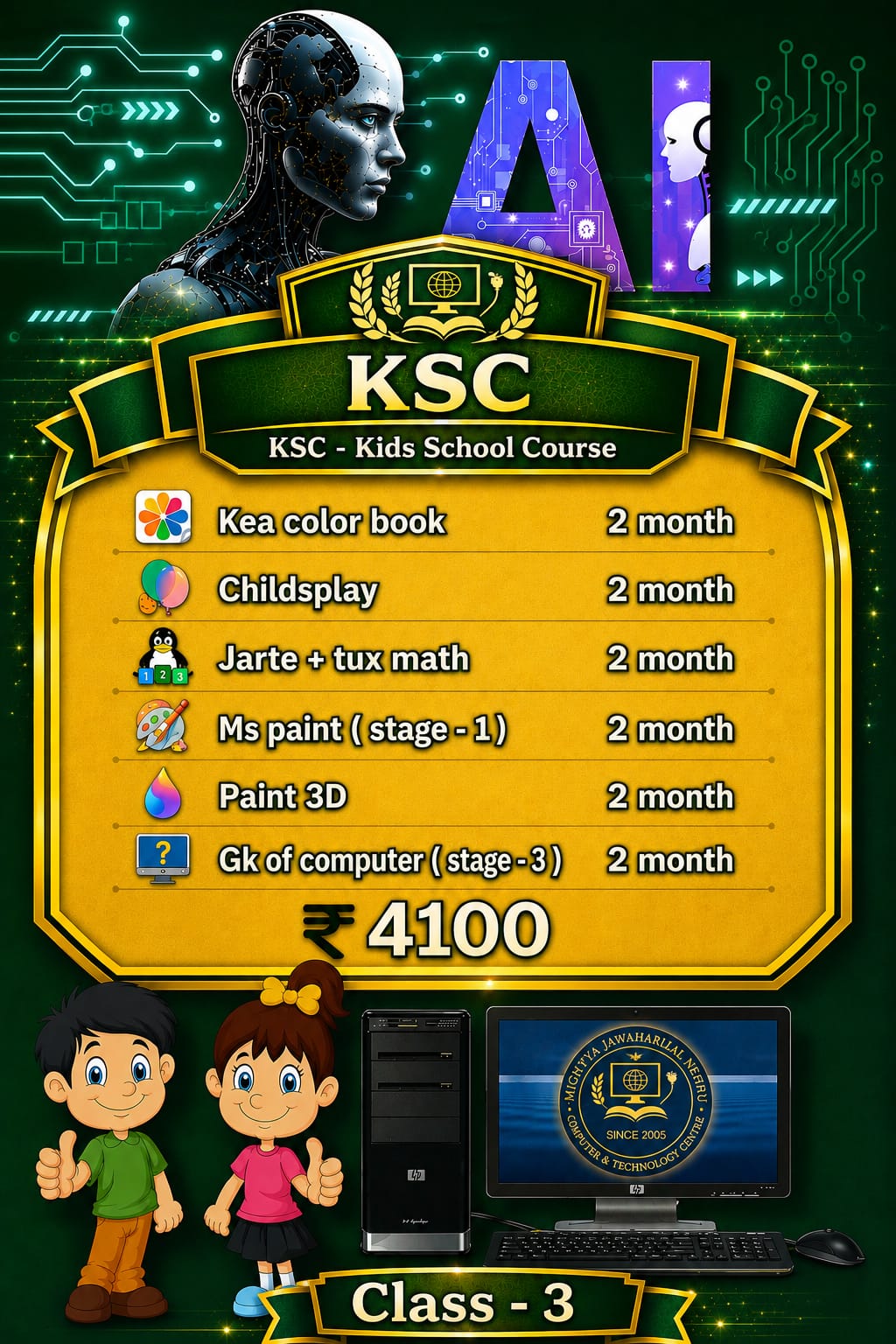
The KSC – Kids School Course (Class – 3) is a comprehensive, structured 1-year foundational computer program designed specifically for Class 3 students<!–>–><!–>. This course introduces young learners to digital art, basic word processing, gamified mathematics, logical learning, and advanced 3D creativity–><!–>–><!–>. Through engaging tools like Kea Color Book, Childsplay, Jarte, Tux Math, MS Paint, Paint 3D, and Computer General Knowledge, kids build strong digital literacy and problem-solving skills in a fun, interactive environment–><!–>–><!–>. –>
বাংলা:
KSC – কিডস স্কুল কোর্স (ক্লাস – ৩) হলো ৩য় শ্রেণির শিক্ষার্থীদের জন্য বিশেষভাবে তৈরি ১ বছর মেয়াদী একটি সম্পূর্ণ ডিজিটাল ফাউন্ডেশন কোর্স<!–>–><!–>। এই কোর্সের মাধ্যমে শিশুরা ডিজিটাল আর্ট, বেসিক ওয়ার্ড প্রসেসিং, গেমভিত্তিক গণিত অনুশীলন, লজিক্যাল লার্নিং এবং আধুনিক ৩ডি ড্রয়িংয়ের সাথে পরিচিত হতে পারে–><!–>–><!–>। Kea Color Book, Childsplay, Jarte, Tux Math, MS Paint, Paint 3D এবং সাধারণ জ্ঞান মডিউলগুলোর মাধ্যমে শিশুরা আনন্দের সাথে কম্পিউটারের সঠিক ব্যবহার শেখে–><!–>–><!–>। –>

Kea Coloring Book is a fun educational software for children. It helps students learn how to draw and colour different pictures. Students can choose different colours, fill pictures, and improve their creativity, imagination, and colouring skills.
Childsplay is an educational software for children. It contains different fun learning games that help students learn alphabets, numbers, spelling, memory, and basic mathematics. It makes learning enjoyable and improves children's thinking, memory, and problem-solving skills.
Jarte is a simple word processing software used to create, edit, and format text documents. Students can type letters, stories, and notes, change font styles, adjust text size, and make their documents attractive. It helps students improve their typing and basic document-making skills.
Tux Math is an educational game designed for children to learn mathematics in a fun way. Students can practise addition, subtraction, multiplication, and division by playing exciting games. It helps improve calculation speed, mathematical skills, and logical thinking.
MS Paint is a basic drawing and painting software developed by Microsoft. In Stage 1, students learn how to use drawing tools such as Pencil, Brush, Eraser, Shapes, Fill with Colour and Text. They practise drawing simple pictures, colouring objects, and creating beautiful designs. It helps develop creativity, imagination, and basic computer skills.
Paint 3D is a drawing and designing software that allows students to create both 2D drawings and 3D objects. Students learn how to use brushes, shapes, stickers, 3D models, and different colours to create creative designs. It helps develop imagination, creativity, and basic 3D designing skills.
Computer General Knowledge helps students learn about computers and their basic functions. Students learn about different parts of a computer, input and output devices, hardware, software, keyboard keys, computer history, and important computer facts. It increases computer awareness and improves students' basic knowledge of technology.
Course Name: KSC - Kids School Course (Class - 3)<!-->--><!--> -->
Target Grade: Class 3 Students<!-->--><!--> -->
Total Modules: 6 Modules (Kea color book, Childsplay, Jarte + Tux math, MS Paint (Stage-1), Paint 3D, GK of computer (Stage-3))<!-->--><!--> -->
Total Duration: 12 Months (2 months per module)<!-->--><!--> -->
Course Fee: ₹4,100<!-->--><!--> -->
Institute: Mightya Jawaharlal Nehru Computer & Technology Centre (Since 2005)<!-->--><!--> -->
English:
Basic understanding of English alphabets and simple numbers.
Willingness to learn and explore computer games and drawing tools.
Access to a desktop/laptop computer for practice (recommended).
বাংলা:
ইংরেজি বর্ণমালা (Alphabets) এবং সংখ্যার সাধারণ জ্ঞান থাকা।
কম্পিউটার শেখা ও গেমসের মাধ্যমে অনুশীলনের আগ্রহ।
বাড়িতে প্র্যাকটিস করার জন্য একটি কম্পিউটার বা ল্যাপটপ থাকা সুবিধাজনক।
English:
Students currently studying in Class 3<!-->--><!-->. -->
Young kids who want to develop computer skills, creative drawing, and math-solving abilities in a interactive environment<!-->--><!-->. -->
Beginners looking to build a strong base in computer concepts and digital literacy<!-->--><!-->. -->
বাংলা:
বর্তমানে ৩য় শ্রেণিতে (Class 3) অধ্যয়নরত ছাত্র-ছাত্রী<!-->--><!-->। -->
যেসব শিশু আনন্দের সাথে কম্পিউটারের সঠিক ব্যবহার, ছবি আঁকা এবং গণিত চর্চা করতে চায়<!-->--><!-->। -->
প্রাথমিক স্তর থেকে কম্পিউটারে মজবুত ভিত তৈরি করতে ইচ্ছুক শিক্ষানবিস শিশুরা<!-->-->।